Best 9 Framer Image Editing & Optimization Plugins in 2026
With Framer image editing & optimization plugins, you can fix major image problems, like heavy JPEGs, large PNG files, slow-loading images, and repetitive manual edits. You can protect image copyrights while maintaining consistent sizing, formatting, and styling standards.
These plugins make image optimization faster, simpler, and more efficient than ever.
1. EFEX - Image Editor
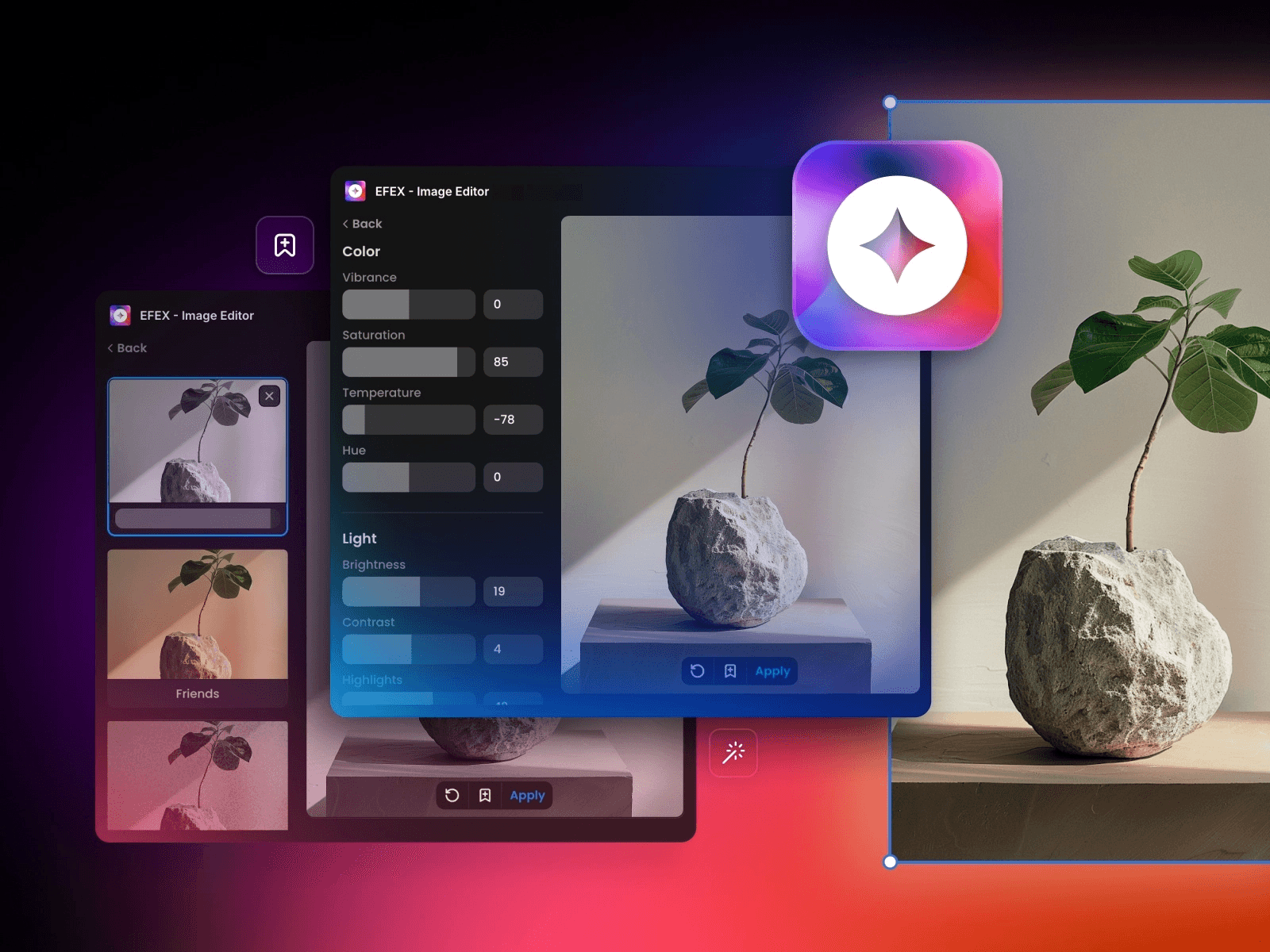
*Screenshot of EFEX - Image Editor Plugin*
EFEX lets you edit and optimize images with pro adjustment tools, filters, and fun effects, all inside Framer. You can adjust colors, brightness, and contrast, or apply creative effects while maintaining the original resolution.
Key Features:
Resize and compress JPEG or PNG files without leaving Framer
Adjust vibrance, saturation, hue, brightness, contrast, shadows, and highlights
Apply fun effects like Retro, Portrait, Urban, Food, or Black & White
Save and load your own presets for consistent edits
Maintain original resolution while optimizing images for the modern web
Creator: Framespace
Users: 18k+
Pricing: Freemium
Try EFEX - Image Editor for Framer ↗
2. Photopea
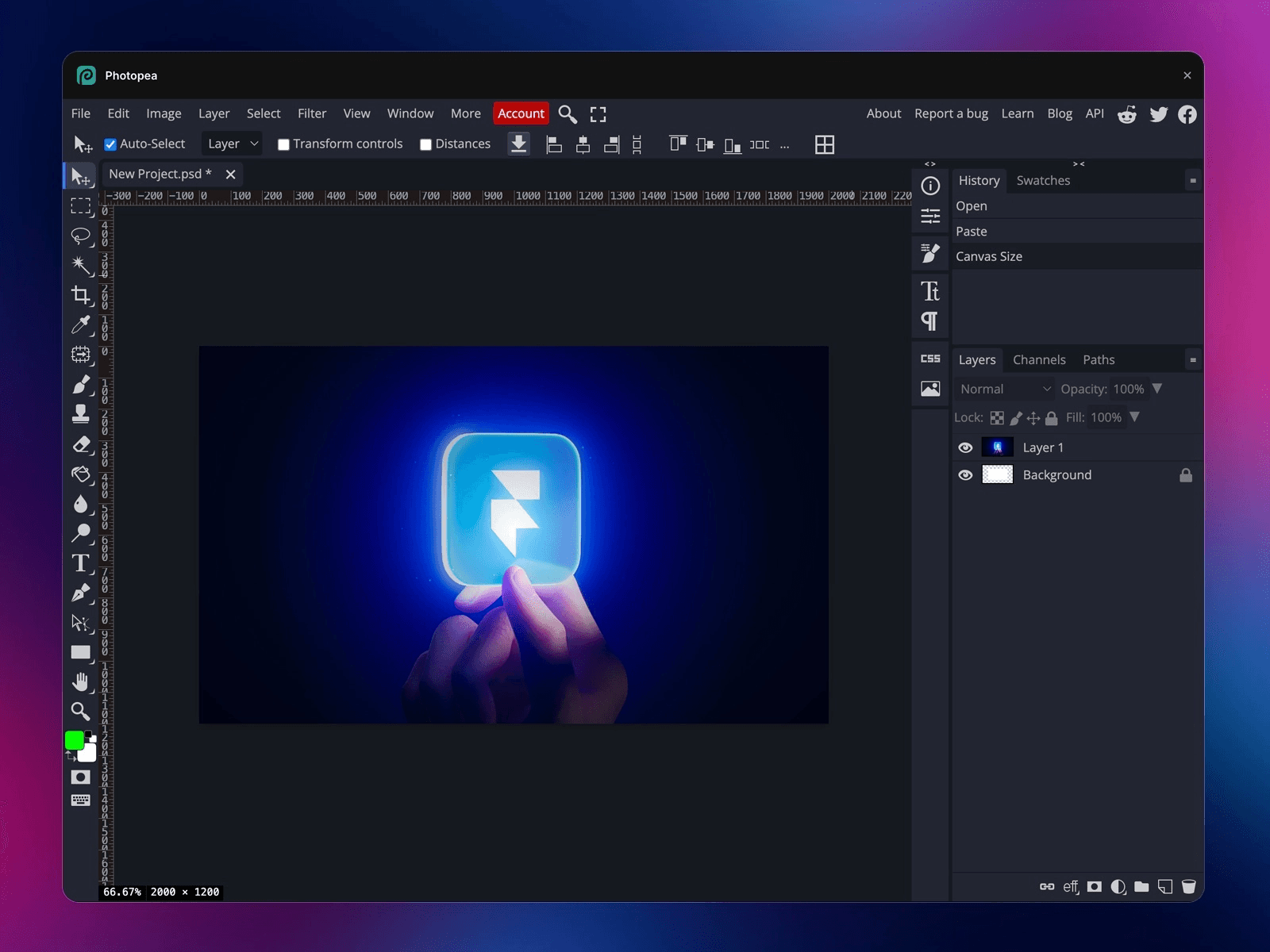
*Screenshot of Photopea Plugin*
Photopea lets designers edit images directly inside Framer without switching tools. You can crop, resize, add text, or apply filters quickly. It speeds up image preparation for web-ready layouts.
Key Features:
Crop, resize, and adjust images inside Framer
Apply filters, effects, and basic corrections
Edit JPEG, PNG, and local or remote files without export
Add text and overlays directly on your images
Save edits instantly to your Framer project canvas
Creator: Fehmi Özüseven
Users: 5.7k+
Pricing: Free
3. Skwiz - Image Compression
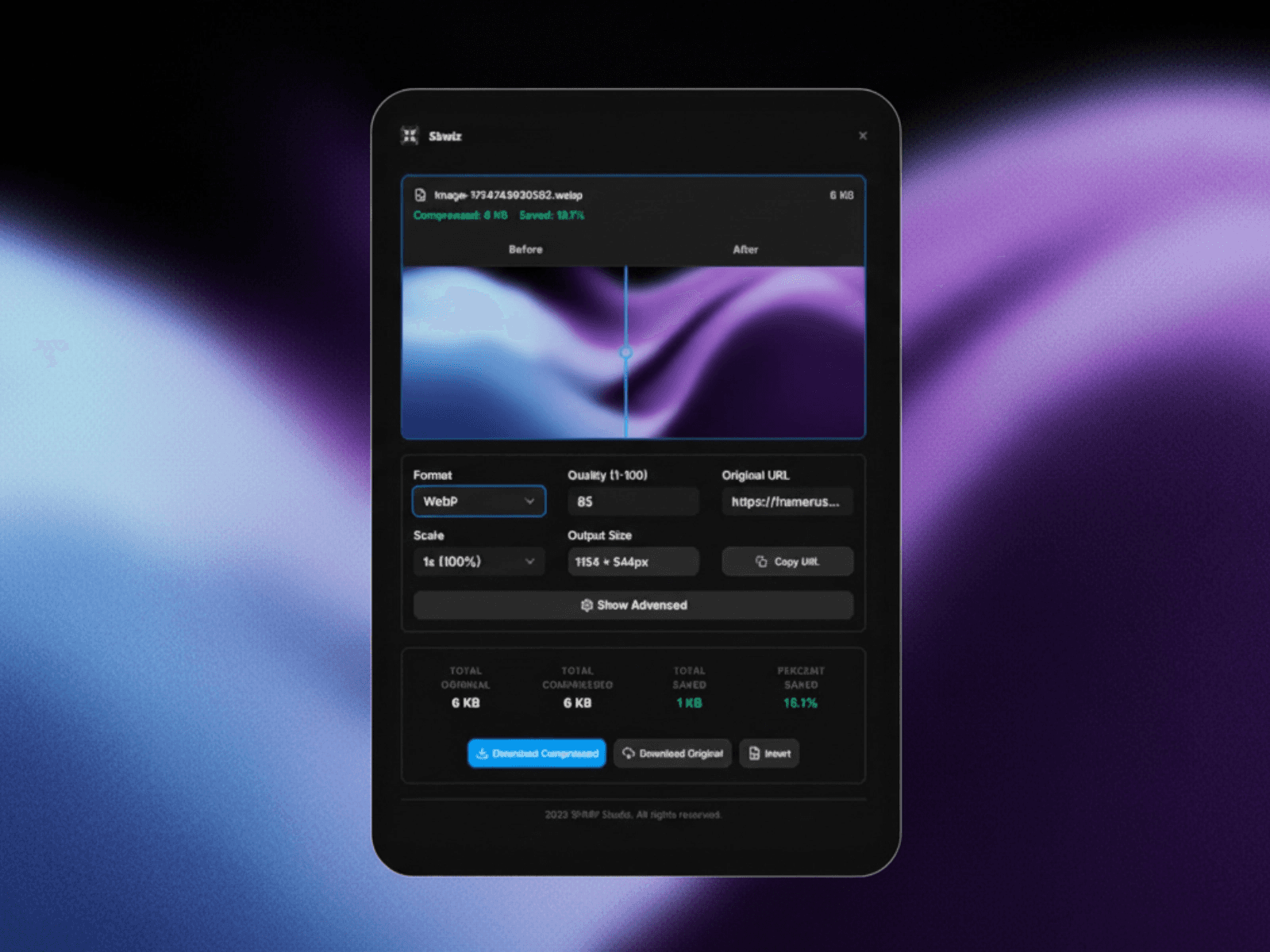
*Screenshot of Skwiz - Image Compression Plugin*
Skwiz gives designers complete control over image size, format, and quality inside Framer. It compresses and optimizes images without losing visual clarity. This improves website speed and performance on desktop and mobile devices.
Key Features:
Compress JPEG, PNG, WebP, and AVIF images efficiently
Resize, convert formats, and apply visual effects
Batch optimize multiple images with real-time previews
Edit CMS or project images directly in Framer
Use smart presets for consistent results across projects
"When using Skwiz, we found that setting compression to 85% saved an extra 40kb over Framer's default without losing retina clarity."
Creator: Jonathan B.
Users: 900+
Pricing: Freemium
4. Image Flip
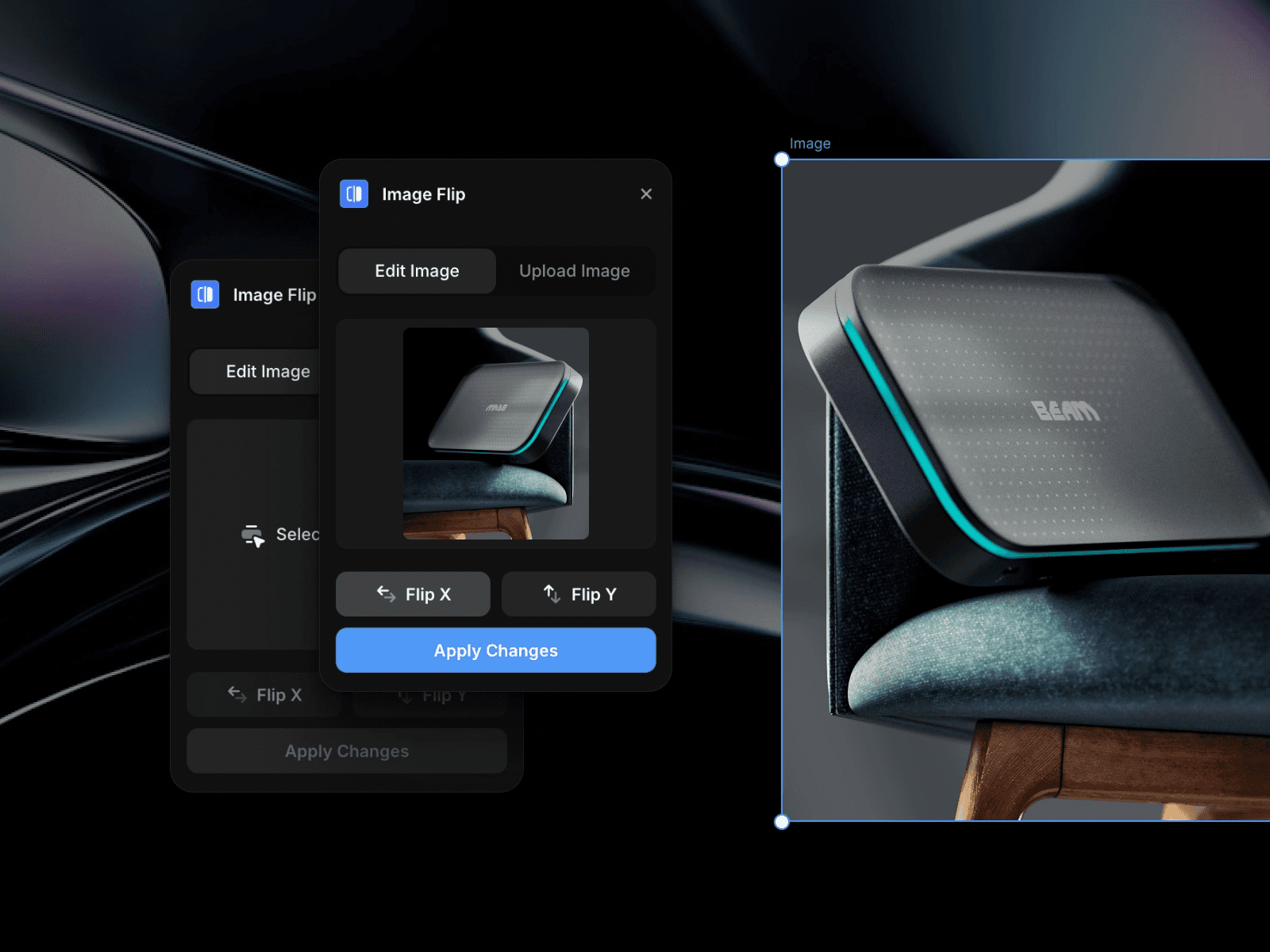
*Screenshot of Image Flip Plugin*
ImageFlip lets designers flip and mirror images instantly inside Framer. Adjust horizontal or vertical orientation without exporting files. It ensures smooth layouts and precise alignment across designs.
Key Features:
Flip images horizontally or vertically in one click
Mirror visuals for layout balance and symmetry
Edit images directly inside Framer without switching tools
Preserve original image quality while adjusting orientation
Creator: Fabian Albert
Users: 7.6k+
Pricing: Free
5. Upscaler
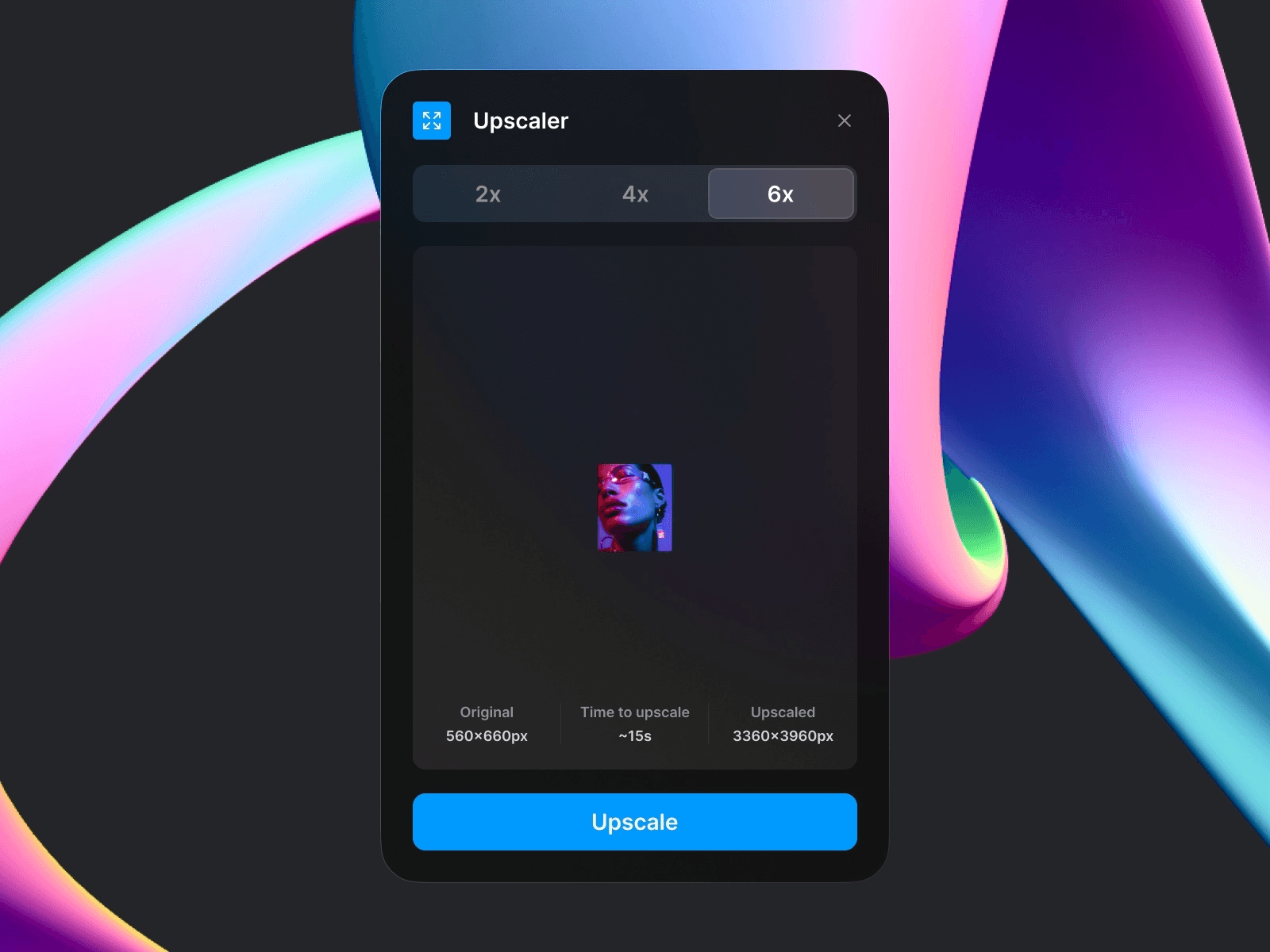
*Screenshot of Upscaler Plugin*
Upscaler enhances image resolution while keeping clarity intact. It improves low-quality images for modern, high-resolution, and retina displays. Designers can upscale images quickly without leaving Framer.
Key Features:
Increase image resolution up to 6x without losing quality
Sharpen details, reduce noise, and enhance visual clarity
Works seamlessly with canvas images and CMS items
One-click operation for fast, high-quality results
Creator: Anton Pikhorovych
Users: 2.2k+
Pricing: Paid
6. Image Resolution Adjuster
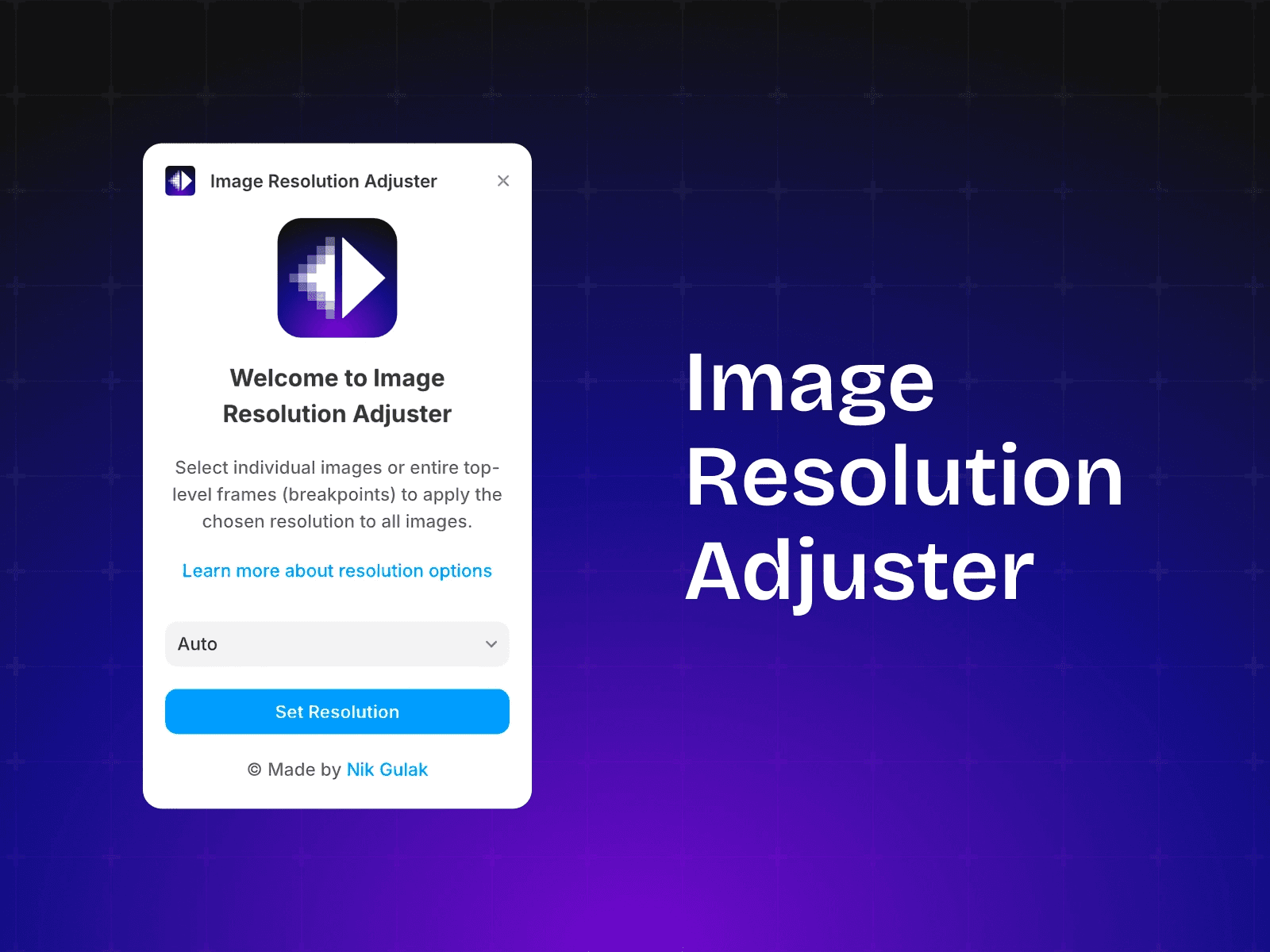
*Screenshot of Image Resolution Adjuster Plugin*
Image Resolution Adjuster lets designers control image resolution precisely inside Framer. It prevents stretching or blur while resizing images. Designers can match resolution to project layouts effortlessly.
Key Features:
Adjust resolution for single images or entire frames
Prevent distortion and maintain image clarity
Apply web-friendly sizes for fast loading
Edit directly inside Framer without extra tools
Creator: Nick Gulak
Users: 1.1k+
Pricing: Freemium
Try Image Resolution Adjuster for Framer ↗
7. Remove.bg
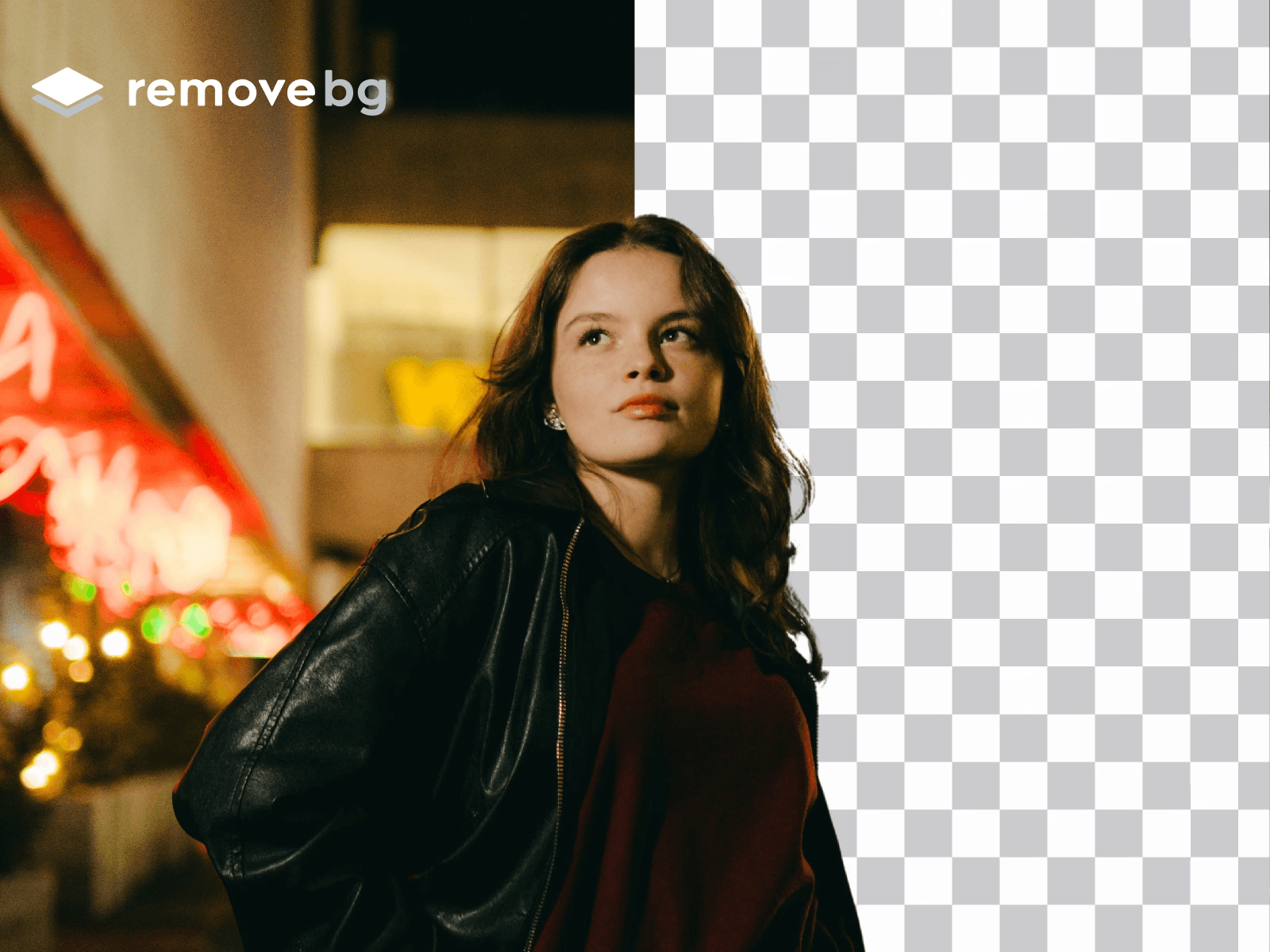
*Screenshot of Remove.bg Plugin*
Remove.bg lets designers remove image backgrounds instantly inside Framer. It handles complex subjects like hair or transparent elements with precision. Designers save time and prepare images faster for web or social layouts.
Key Features:
Remove backgrounds with one click
Preserve sharp edges and fine details
Support portraits, products, and various image formats
Work seamlessly inside the Framer editor without switching tools
Creator: Ludovic Losco
Users: 12k+
Pricing: Paid
8. Save Image
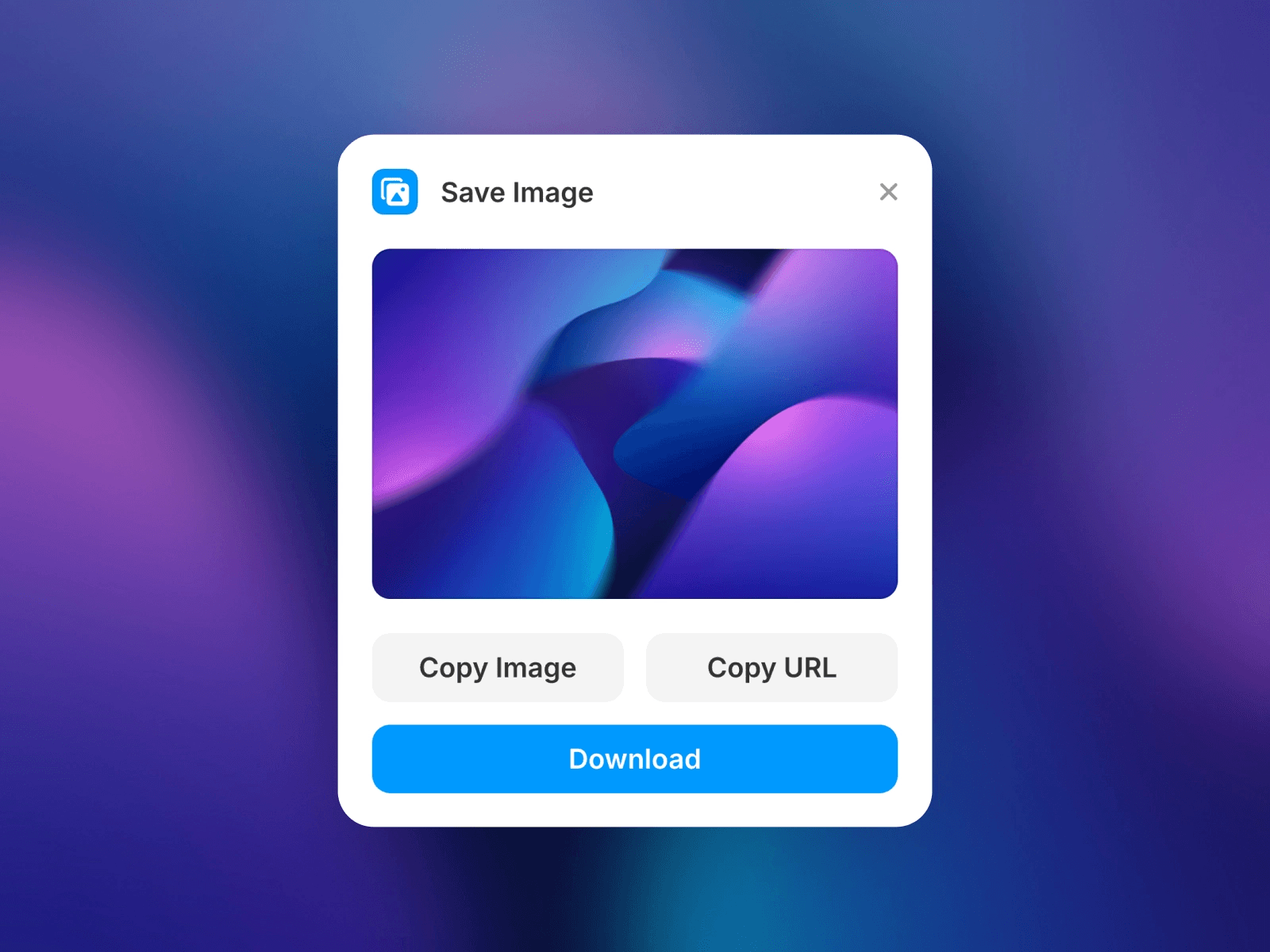
*Screenshot of Save Image Plugin*
Save Image lets designers download or copy images directly from Framer. It eliminates extra export steps and saves edited images instantly. Designers can back up or reuse images quickly without leaving Framer.
Key Features:
Download or copy images with one click
Save images in web-ready formats without quality loss
Works with frames, components, and CMS items
Fully free and open-source for unlimited use
Creator: Isaac Roberts
Users: 3.1k+
Pricing: Free
9. WEBP Image Converter
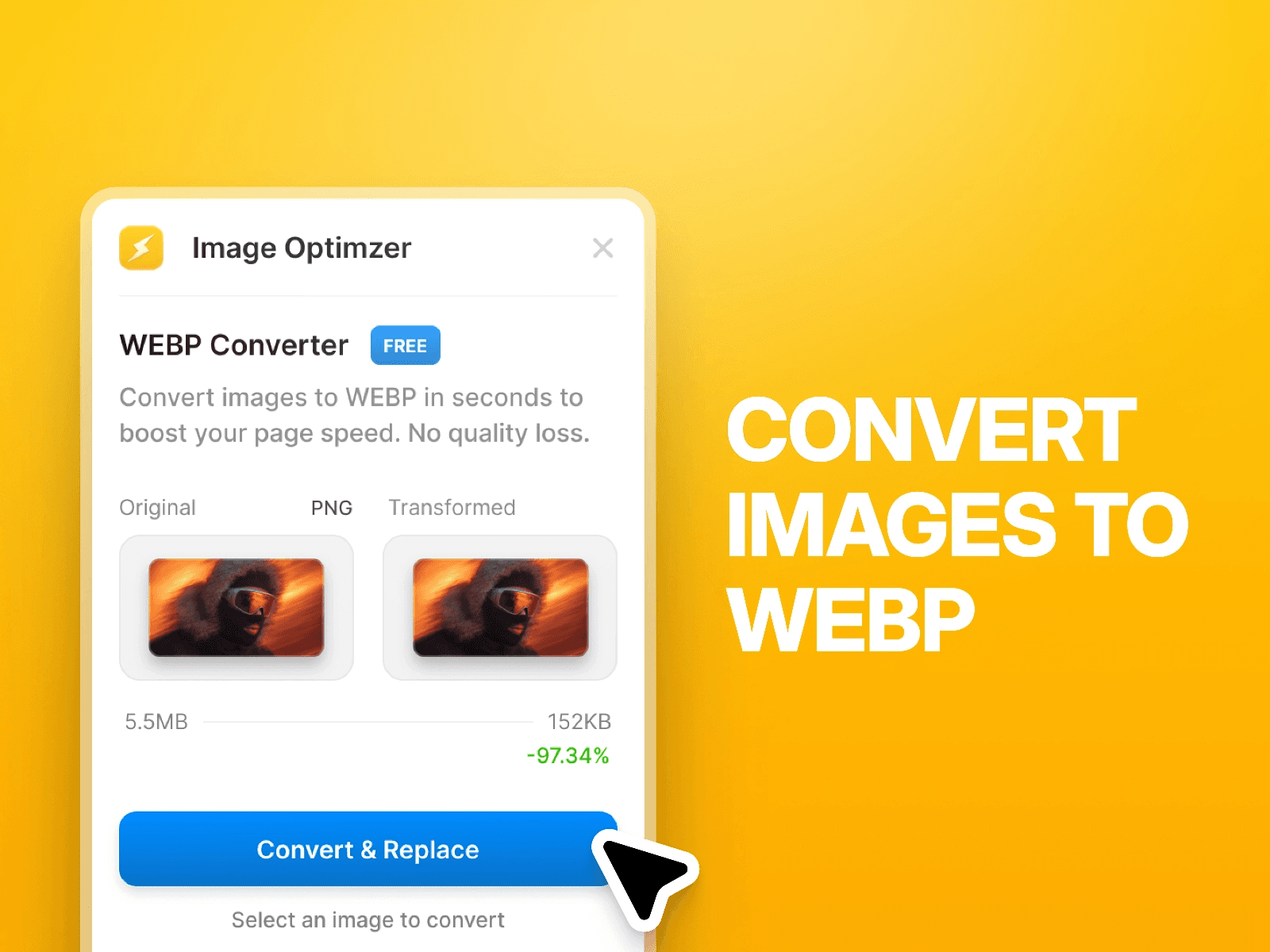
*Screenshot of WEBP Image Converter Plugin*
WebP Image Converter gives you manual control over specific compression ratios that Framer’s auto-optimizer might miss. This is ideal for designers who need to balance extreme file-size savings with high-fidelity visual quality.
Key Features:
Convert JPEG and PNG images to WebP in one click
Reduce file sizes while preserving image quality
Preview original vs converted sizes for transparency
Work seamlessly inside Framer without extra tools
Creator: Adheeb
Users: 300+
Pricing: Free
Try WEBP Image Converter for Framer ↗
Case Study: Reducing Page Load by 45% with Framer Plugins:
To see if these plugins really make a difference, we tested a media-heavy landing page. Here are the results of our image optimization.
The Setup:
The Page: A portfolio site with 15 high-resolution (4K) PNG images.
Initial State: 12.4 MB total page weight / 3.2s Load Time (LCP).
The Goal: Reduce weight without losing "Retina" sharpness.
The Process:
Background Removal: Used Remove.bg to strip heavy backgrounds from portrait shots, saving 2MB instantly.
AI Upscaling: Used Upscaler to turn 72dpi assets into 144dpi for 5K displays.
Manual Compression: Applied Skwiz at an 80% compression ratio.
The Results:
Performance Metric | Before Optimization | After Plugin Sprint | Improvement |
Total Page Weight | 12.4 MB | 4.1 MB | -67% |
LCP (Loading Speed) | 3.2s | 1.4s | +56% Faster |
INP (Responsiveness) | 240ms | 110ms | +54% Better |
SEO Score | 82 | 100 | Perfect |
How to Choose the Right Image Optimization & Editing Plugin for Framer?
Choose Based on Editing Needs:
Start by identifying the image problems you face most often. Some projects need compression, while others need resizing or background removal. Google Web Fundamentals recommends selecting tools that align with actual performance needs.
Choose Based on Features:
Check what each plugin offers before installing it. Look for features like WebP conversion, resolution control, or image optimization. MDN Web Docs suggests using modern formats and efficient image handling for better performance.
Choose Based on Workflow:
Pick plugins that fit naturally into your design process. Too many tools can slow down editing and reduce focus. Framer’s own documentation encourages simple workflows for faster design output.
Tips for Using Image Optimizing Plugins in Framer
Always optimize images for the web to improve load speed and SEO.
Use consistent image sizes, formats, and resolutions across all pages.
Test edits on desktop and mobile to ensure visuals display correctly.
Conclusion:
Framer image editing plugins make image tasks faster, easier, and more efficient. They help designers optimize, resize, and enhance images without leaving Framer. Using the right plugins improves workflow, ensures copyright safety, and boosts website performance.
With Framer image editing & optimization plugins, you can fix major image problems, like heavy JPEGs, large PNG files, slow-loading images, and repetitive manual edits. You can protect image copyrights while maintaining consistent sizing, formatting, and styling standards.
These plugins make image optimization faster, simpler, and more efficient than ever.
1. EFEX - Image Editor
*Screenshot of EFEX - Image Editor Plugin*
EFEX lets you edit and optimize images with pro adjustment tools, filters, and fun effects, all inside Framer. You can adjust colors, brightness, and contrast, or apply creative effects while maintaining the original resolution.
Key Features:
Resize and compress JPEG or PNG files without leaving Framer
Adjust vibrance, saturation, hue, brightness, contrast, shadows, and highlights
Apply fun effects like Retro, Portrait, Urban, Food, or Black & White
Save and load your own presets for consistent edits
Maintain original resolution while optimizing images for the modern web
Creator: Framespace
Users: 18k+
Pricing: Freemium
Try EFEX - Image Editor for Framer ↗
2. Photopea
*Screenshot of Photopea Plugin*
Photopea lets designers edit images directly inside Framer without switching tools. You can crop, resize, add text, or apply filters quickly. It speeds up image preparation for web-ready layouts.
Key Features:
Crop, resize, and adjust images inside Framer
Apply filters, effects, and basic corrections
Edit JPEG, PNG, and local or remote files without export
Add text and overlays directly on your images
Save edits instantly to your Framer project canvas
Creator: Fehmi Özüseven
Users: 5.7k+
Pricing: Free
3. Skwiz - Image Compression
*Screenshot of Skwiz - Image Compression Plugin*
Skwiz gives designers complete control over image size, format, and quality inside Framer. It compresses and optimizes images without losing visual clarity. This improves website speed and performance on desktop and mobile devices.
Key Features:
Compress JPEG, PNG, WebP, and AVIF images efficiently
Resize, convert formats, and apply visual effects
Batch optimize multiple images with real-time previews
Edit CMS or project images directly in Framer
Use smart presets for consistent results across projects
"When using Skwiz, we found that setting compression to 85% saved an extra 40kb over Framer's default without losing retina clarity."
Creator: Jonathan B.
Users: 900+
Pricing: Freemium
4. Image Flip
*Screenshot of Image Flip Plugin*
ImageFlip lets designers flip and mirror images instantly inside Framer. Adjust horizontal or vertical orientation without exporting files. It ensures smooth layouts and precise alignment across designs.
Key Features:
Flip images horizontally or vertically in one click
Mirror visuals for layout balance and symmetry
Edit images directly inside Framer without switching tools
Preserve original image quality while adjusting orientation
Creator: Fabian Albert
Users: 7.6k+
Pricing: Free
5. Upscaler
*Screenshot of Upscaler Plugin*
Upscaler enhances image resolution while keeping clarity intact. It improves low-quality images for modern, high-resolution, and retina displays. Designers can upscale images quickly without leaving Framer.
Key Features:
Increase image resolution up to 6x without losing quality
Sharpen details, reduce noise, and enhance visual clarity
Works seamlessly with canvas images and CMS items
One-click operation for fast, high-quality results
Creator: Anton Pikhorovych
Users: 2.2k+
Pricing: Paid
6. Image Resolution Adjuster
*Screenshot of Image Resolution Adjuster Plugin*
Image Resolution Adjuster lets designers control image resolution precisely inside Framer. It prevents stretching or blur while resizing images. Designers can match resolution to project layouts effortlessly.
Key Features:
Adjust resolution for single images or entire frames
Prevent distortion and maintain image clarity
Apply web-friendly sizes for fast loading
Edit directly inside Framer without extra tools
Creator: Nick Gulak
Users: 1.1k+
Pricing: Freemium
Try Image Resolution Adjuster for Framer ↗
7. Remove.bg
*Screenshot of Remove.bg Plugin*
Remove.bg lets designers remove image backgrounds instantly inside Framer. It handles complex subjects like hair or transparent elements with precision. Designers save time and prepare images faster for web or social layouts.
Key Features:
Remove backgrounds with one click
Preserve sharp edges and fine details
Support portraits, products, and various image formats
Work seamlessly inside the Framer editor without switching tools
Creator: Ludovic Losco
Users: 12k+
Pricing: Paid
8. Save Image
*Screenshot of Save Image Plugin*
Save Image lets designers download or copy images directly from Framer. It eliminates extra export steps and saves edited images instantly. Designers can back up or reuse images quickly without leaving Framer.
Key Features:
Download or copy images with one click
Save images in web-ready formats without quality loss
Works with frames, components, and CMS items
Fully free and open-source for unlimited use
Creator: Isaac Roberts
Users: 3.1k+
Pricing: Free
9. WEBP Image Converter
*Screenshot of WEBP Image Converter Plugin*
WebP Image Converter gives you manual control over specific compression ratios that Framer’s auto-optimizer might miss. This is ideal for designers who need to balance extreme file-size savings with high-fidelity visual quality.
Key Features:
Convert JPEG and PNG images to WebP in one click
Reduce file sizes while preserving image quality
Preview original vs converted sizes for transparency
Work seamlessly inside Framer without extra tools
Creator: Adheeb
Users: 300+
Pricing: Free
Try WEBP Image Converter for Framer ↗
Case Study: Reducing Page Load by 45% with Framer Plugins:
To see if these plugins really make a difference, we tested a media-heavy landing page. Here are the results of our image optimization.
The Setup:
The Page: A portfolio site with 15 high-resolution (4K) PNG images.
Initial State: 12.4 MB total page weight / 3.2s Load Time (LCP).
The Goal: Reduce weight without losing "Retina" sharpness.
The Process:
Background Removal: Used Remove.bg to strip heavy backgrounds from portrait shots, saving 2MB instantly.
AI Upscaling: Used Upscaler to turn 72dpi assets into 144dpi for 5K displays.
Manual Compression: Applied Skwiz at an 80% compression ratio.
The Results:
Performance Metric | Before Optimization | After Plugin Sprint | Improvement |
Total Page Weight | 12.4 MB | 4.1 MB | -67% |
LCP (Loading Speed) | 3.2s | 1.4s | +56% Faster |
INP (Responsiveness) | 240ms | 110ms | +54% Better |
SEO Score | 82 | 100 | Perfect |
How to Choose the Right Image Optimization & Editing Plugin for Framer?
Choose Based on Editing Needs:
Start by identifying the image problems you face most often. Some projects need compression, while others need resizing or background removal. Google Web Fundamentals recommends selecting tools that align with actual performance needs.
Choose Based on Features:
Check what each plugin offers before installing it. Look for features like WebP conversion, resolution control, or image optimization. MDN Web Docs suggests using modern formats and efficient image handling for better performance.
Choose Based on Workflow:
Pick plugins that fit naturally into your design process. Too many tools can slow down editing and reduce focus. Framer’s own documentation encourages simple workflows for faster design output.
Tips for Using Image Optimizing Plugins in Framer
Always optimize images for the web to improve load speed and SEO.
Use consistent image sizes, formats, and resolutions across all pages.
Test edits on desktop and mobile to ensure visuals display correctly.
Conclusion:
Framer image editing plugins make image tasks faster, easier, and more efficient. They help designers optimize, resize, and enhance images without leaving Framer. Using the right plugins improves workflow, ensures copyright safety, and boosts website performance.
FAQs

If you want to build websites even faster, check out Framify, a Framer Component Library that streamlines your workflow and helps you create dynamic sites in no time. Explore, create, and sell your own templates with confidence using the best tools and resources Framer offers.
Related Posts:
More Articles
Templates
12 Best Framer Agency Templates for High-Conversion in 2026
Looking for the best Framer agency templates? Discover 12 high-conversion designs for 2026, featuring Brandigo, Mugen, and Fortex to scale your agency fast.
Muhammad Talha
Apr 14, 2026

Resources
11 Best Website Inspiration Sites for High-End Design (2026)
Stop staring at a blank canvas. Explore 11 hand-picked galleries for pro UI/UX inspiration, from Godly to Awwwards. Level up your design game today.
Muhammad Talha
Mar 4, 2026
Plugin
4 Best Framer Membership Plugins in 2026
Top 4 Framer membership plugins for gated content, subscriptions, secure login, user roles, and recurring revenue with no-code setup.
Muhammad Talha
Mar 4, 2026
Plugin
5 Best Framer E-Commerce Plugins in 2026 (Sell 61% Faster)
Top 5 Framer e-commerce plugins with Shopify sync, fast checkout, live product updates, no-code setup, secure payments, carts & instant product integration.
Muhammad Talha
Feb 2, 2026